| 2. Travel Bags: NetBeans Lookup Library (I) | ||
|---|---|---|
 |  | |
Own only what you can carry with you; know language, now countries, know people. Let your memory be your travel bag.
The NetBeans Look Library is in itself an interesting piece of software because:
It's supported by the NetBeans Development Team.
It's released under the CDDL and/or the GPL, at your choice, so you can use it in both open source and commercial applications, for free.
It's concentrated in a single file (with some other nice stuff) in a single 626Kb file "org-openide-util.jar".
It does not depend on other stuff, so you can use it in your own applications, whatever your IDE is
It's been evolving during 10 years, so it's stable, it has a polished API and it's bug free
It's not only a lookup service for your applications, but a powerful design pattern too
All those features, make it worth spending some time to take a look at the library, learn how it works and how to use it, and then exploit all its benefits in our own applications. So let's get started.
When you build a complex object-oriented system you end up with lots of different objects floating around. So most modern object-oriented systems have some sort of lookup service, so that you can fetch your objects easily, possibly by name.
Examples of lookup services include the Java Naming and Directory Interface,used to lookup IPs by name (with a DNS provider) or to lookup CORBA Objects by name (with a CORBA provider) or to lookup user information using a Distinguished Name (with a LDAP provider), etc. JNDI is used inside J2EE applications, to lookup EJBs by name, for instance. The Jini Lookup Service is an example of lookup service as well.
All NetBeans Lookup are represented with the "org.openide.util.Lookup" class.
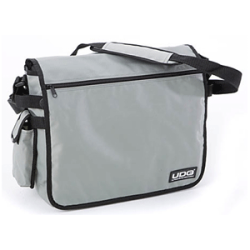
We can think of "Lookup" as a travel bag. A place were we can store stuff (our bus tickets, our laptop, our pencils) and that we can use later on to retrieve stuff.
Before learning how to store stuff in the bag let's first see how to retrieve stuff from it. Here we go with some basic examples:
You can retrieve a bus ticket from a bag like by using its class, like this:
  Lookup myTravelBag = ...
  BusTicket myBusTicket = myTravelBag.lookup( BusTicket.class );
If you don't know where your bus tickets are you can then retrieve them all, like this:
  Lookup myTravelBag = ...
  Collection<? extends BusTicket> myTickets =
myTravelBag.lookupAll( BusTicket.class );If you are familiar with JDBC you know you can build complex queries using SQL, and that you get the result of those as a ResultSet object.
The NetBeans Lookup Library contains similar objects:
- Queries are called "templates"
Instead of using SQL to query a bag, you use a Lookup.Template
- ResultSets are called "result"
Instead of using JDBC resultsets to retrieve the results you get a Lookup.Result
| | | |
| Cooking with the NetBeans Platform v 6.X |  | 3. Alphabetical Index |


Add a comment